What a query plan tells you
A SQL query describes the result you want, not every step required to produce it. The database chooses an execution plan: a sequence of operations such as reading a table, using an index, filtering rows, joining tables, sorting, and returning the result. Reading that plan helps you answer a practical question: where is the database doing the most work?
Most database systems provide an EXPLAIN command or a graphical plan viewer, but their labels and cost models differ. Start by distinguishing an estimated plan from an execution plan with actual measurements. An estimated plan shows what the optimizer expects to happen. A plan with actual row counts shows what happened during one execution. Some commands that collect actual measurements run the query, so use care with statements that modify data or are expensive to execute.
Follow the tree from data sources to result
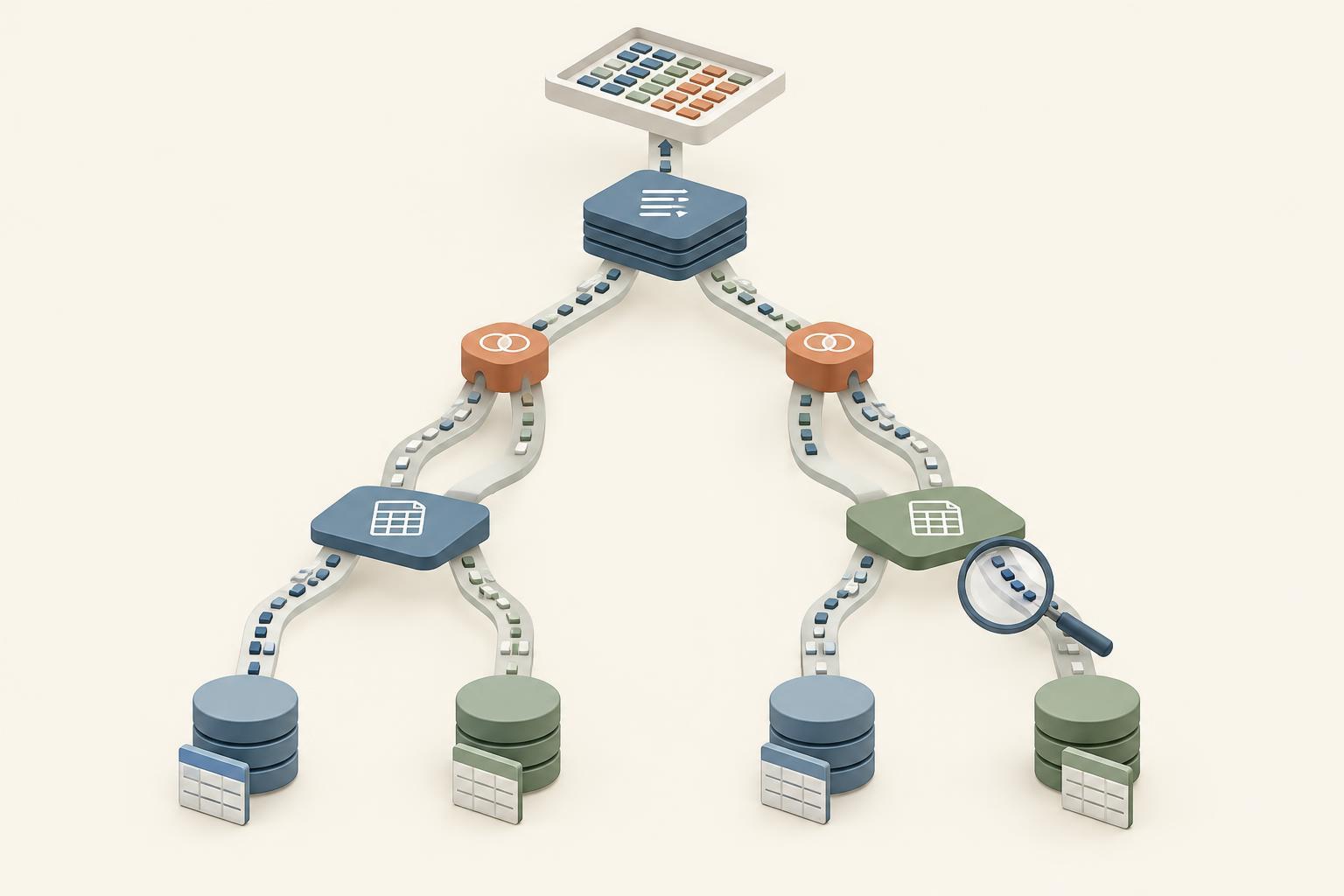
Plans are usually displayed as trees. The operations at the leaves obtain rows, often through a table scan or index access. Parent operations consume those rows and may filter, join, aggregate, or sort them. The top node produces the final result. Text plans may print the top node first even though its child operations supply its input, so follow the indentation or arrows rather than reading the display as a simple timeline.
For example, imagine a query that finds recent orders for customers in one region. A plan might read matching customers through an index, read orders through another index, join the two sets, and then sort by order date. At each node, ask what rows enter, what rows leave, and whether that operation is necessary for the requested result. A sort may be appropriate for an ORDER BY clause; its presence alone does not mean the query is poorly designed.
Read scans, rows, and costs in context
A table scan reads through a table or a substantial part of it. It can be a good choice when a query needs many of the rows or the table is small. An index access can find selected rows efficiently, but it may still require additional reads to fetch columns not stored in the index. The useful question is not “Did the plan use an index?” but “How much work did this access path require for this query?”
Pay close attention to row estimates. If a node predicts a handful of rows but produces many thousands, later operations may have been chosen using a misleading picture of the workload. Check whether filters are applied during data access or only after many rows have been read. Also note how many times an operation runs: a small inner lookup repeated for every row of a large outer input can add up to substantial work.
Cost figures help the optimizer compare alternatives within its own model; they are not universal measures of milliseconds or a bill for the query. When actual timing is available, compare nodes carefully because timing may include work done by children, and measurement itself can add overhead. Rows read, rows returned, repeated executions, and observed duration together give a more useful picture than any single number.
Recognize joins, sorts, and aggregates
Join nodes combine rows from two inputs. A nested-loop join repeatedly searches or scans one input for rows from another; it can work well when the outer input is small and the inner lookup is efficient. A hash join typically builds a lookup structure from one input and probes it with the other. A merge join consumes inputs in join-key order. None is inherently best: input sizes, available indexes, ordering, and memory all affect the choice.
Sort and aggregate nodes deserve attention when they process far more rows than the final result contains. A LIMIT clause, for instance, does not always prevent earlier operations from examining many rows. Some plans also report temporary storage or disk spills, which can indicate that an operation exceeded the memory available to it. Treat these as clues to investigate, not as proof that a new index or a configuration change is required.
Use the plan to guide a safe improvement
Begin with the query’s purpose and a representative set of parameter values. Capture its plan and, where appropriate, actual execution measurements. Find the first point where far more rows are read than needed, estimates diverge sharply from actual counts, or an operation repeats unexpectedly. Then form one hypothesis: perhaps a predicate is missing, an index does not support a selective lookup, or the query requests columns that force extra reads.
Change one thing at a time and compare plans and results. You might simplify a filter, update database statistics through the system’s normal maintenance process, or test an index that matches a common lookup. Verify that the query still returns the correct rows and that the improvement holds for typical workloads, not just one convenient input. A readable plan is a debugging tool, not a scorecard: the goal is reliable performance for the work your application actually does.


